
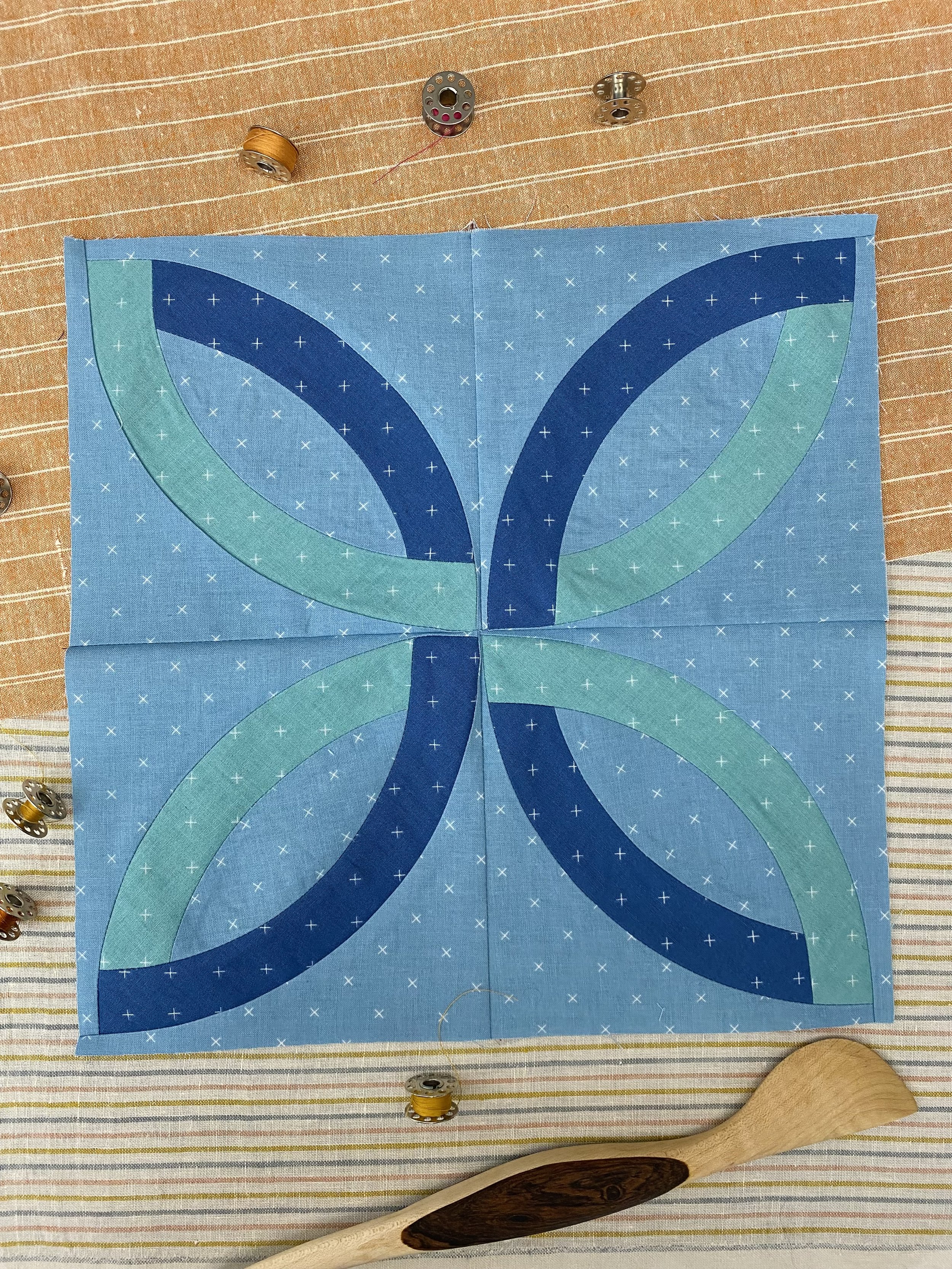
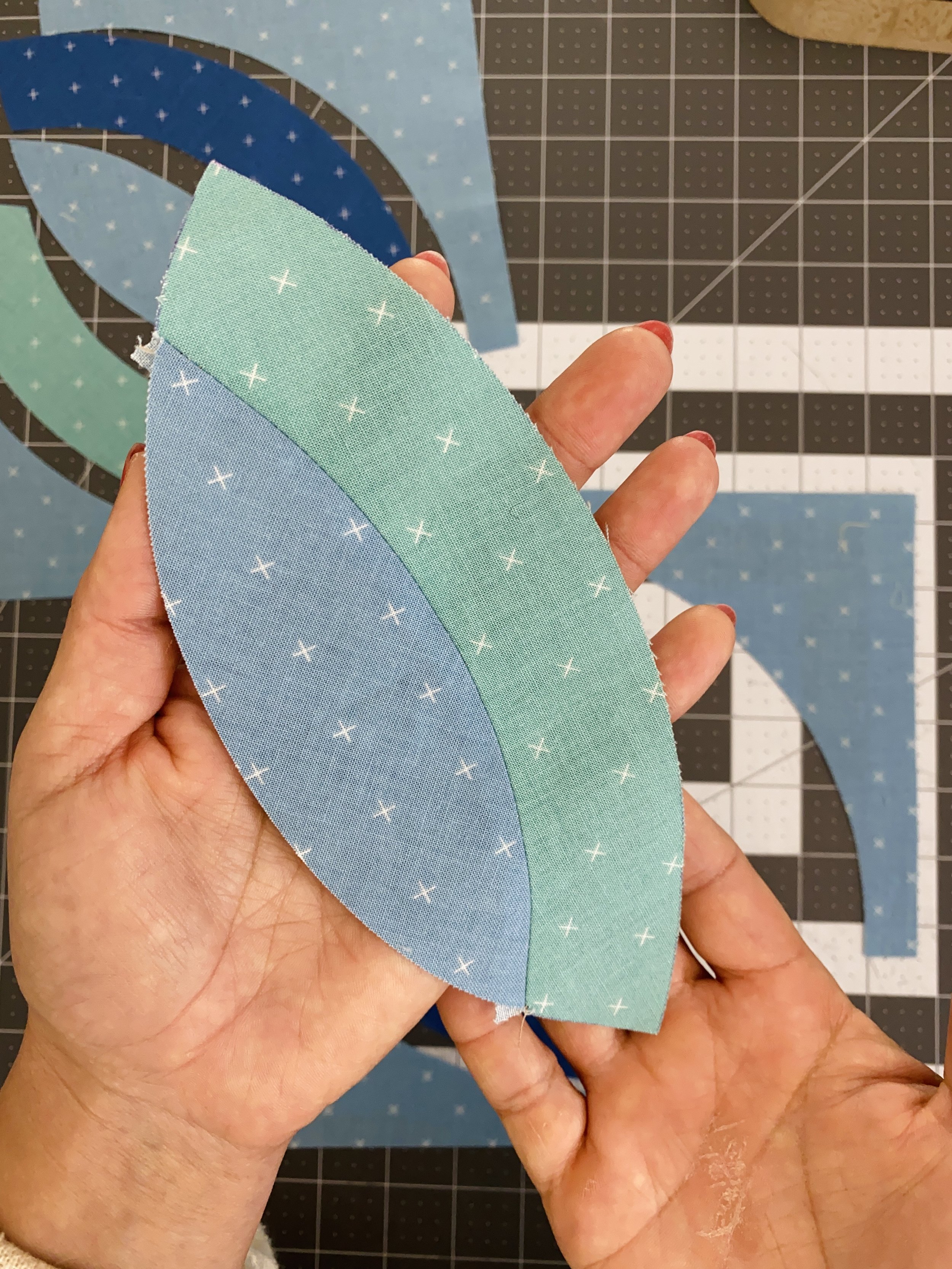
Is it a pickle dish block? An orange peel? The beginning of a lanyard friendship bracelet? Yes to all the above!
This month, we’re moving on from quarter circles to practice orange peels. When I was designing the Fluttersome block, there were lots of upcoming patterns featuring butterflies, and I wanted to pull a little bit of all the winged whimsy into my own design!
If you want all the whimsy, dive into your scraps and cut each template unit from a different fabric. There are so many possibilities to change up the color placement. Even switching up the orientation of the sub-blocks will give your finished block a totally unique look.
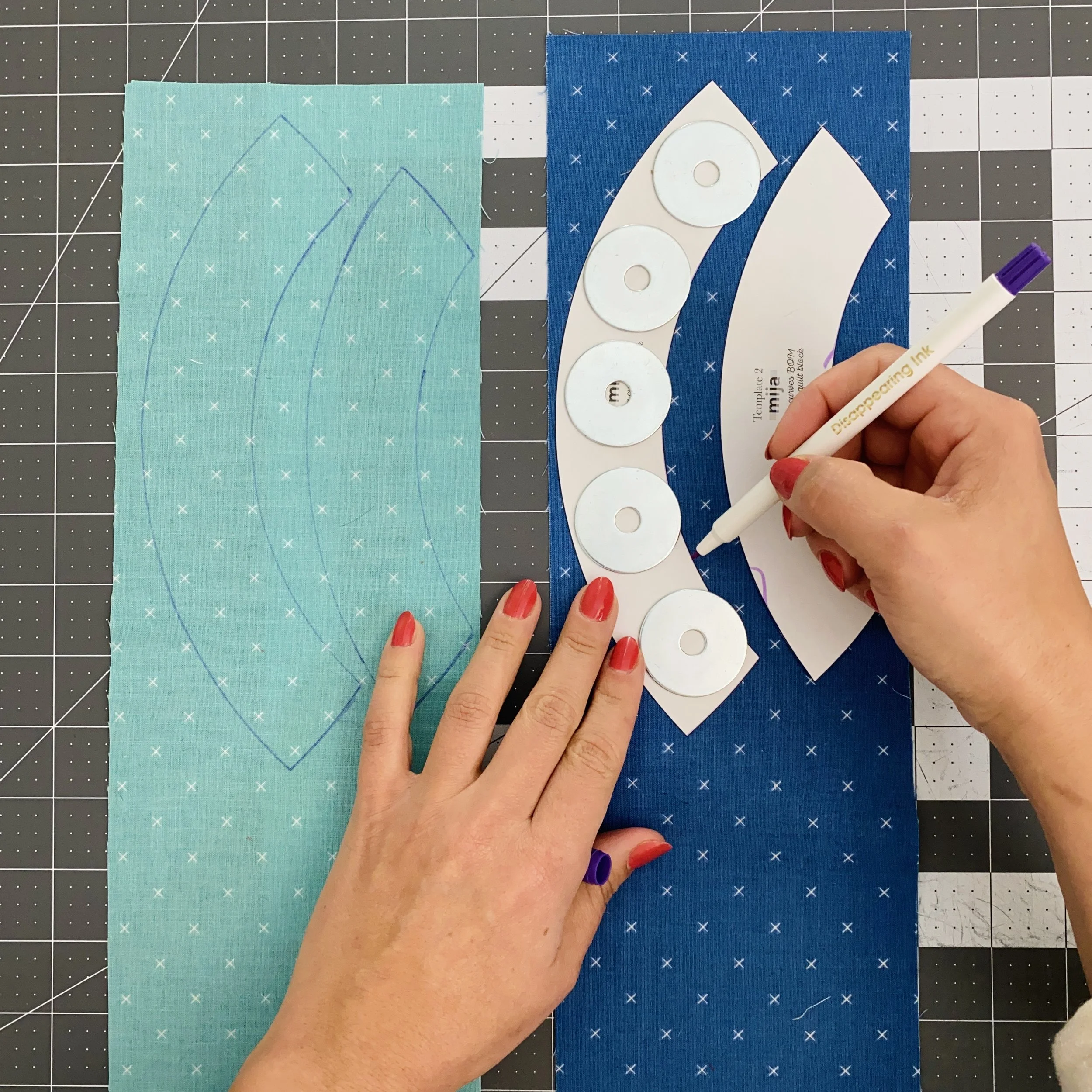
Cutting Templates 2 and 3
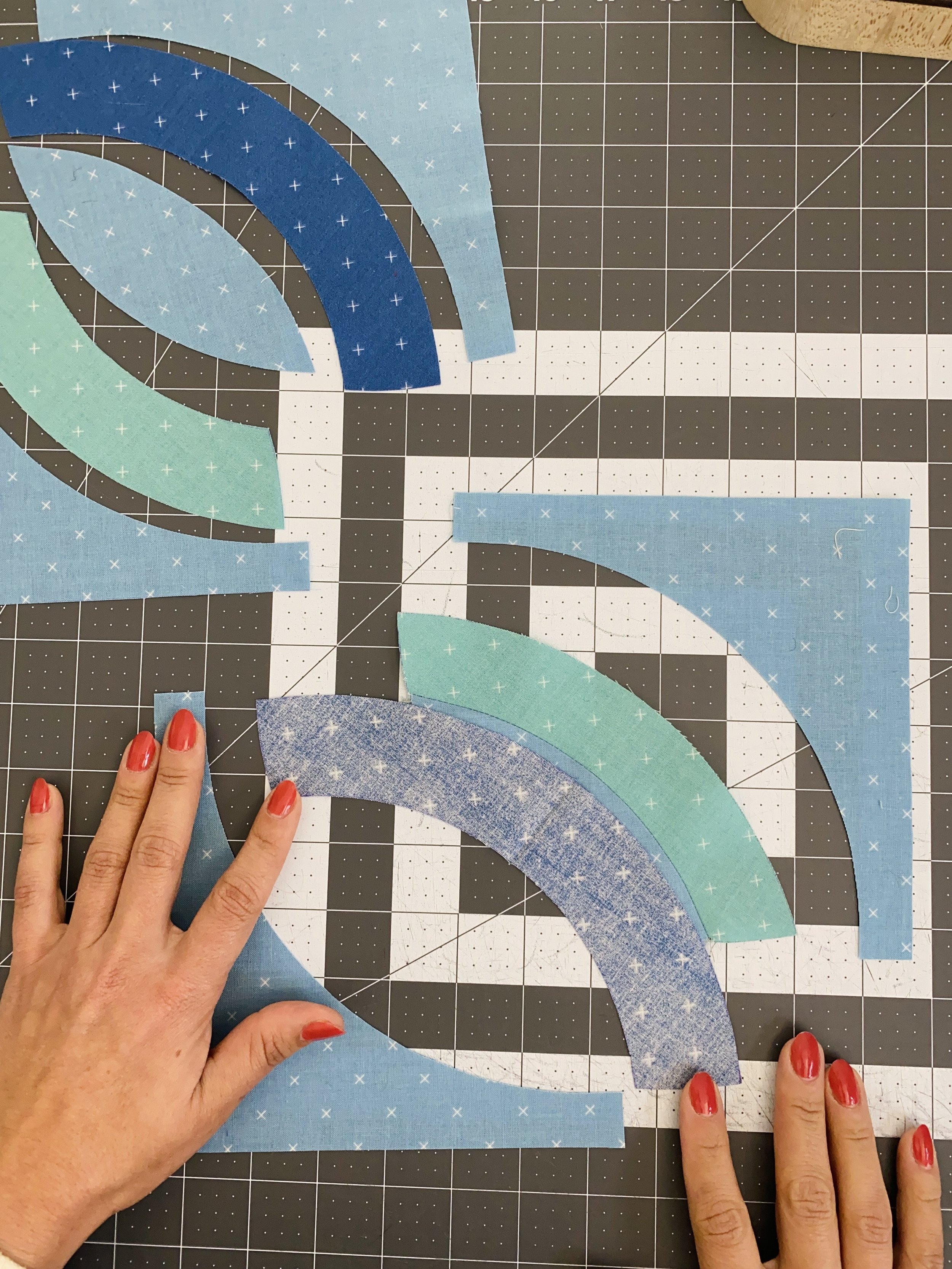
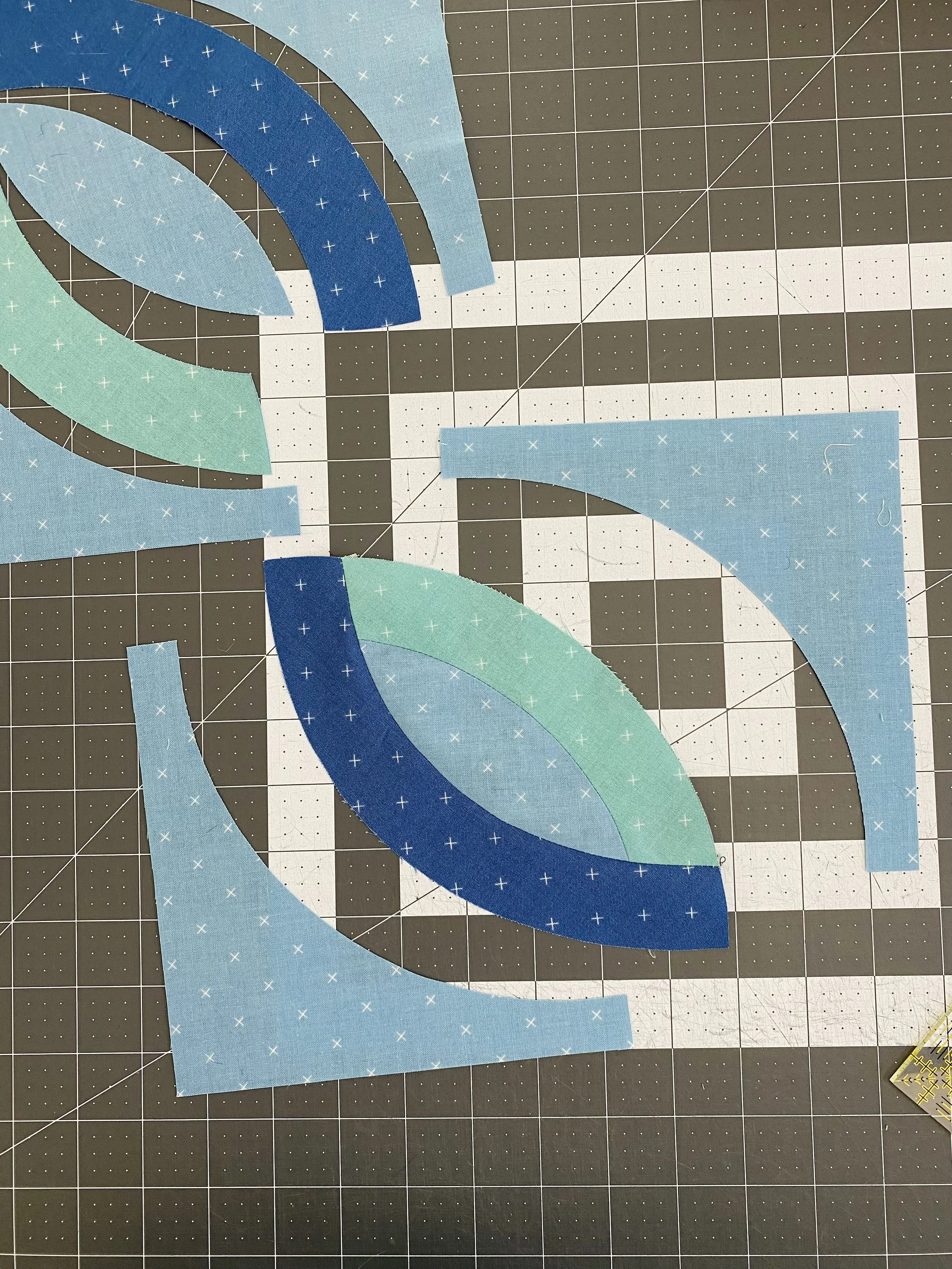
The Template 2 and 3 units can be cut out using your rotary blade, but through a couple experiments, I found that I preferred cutting these shapes out with scissors. That meant I needed to trace the shapes onto the fabric first.
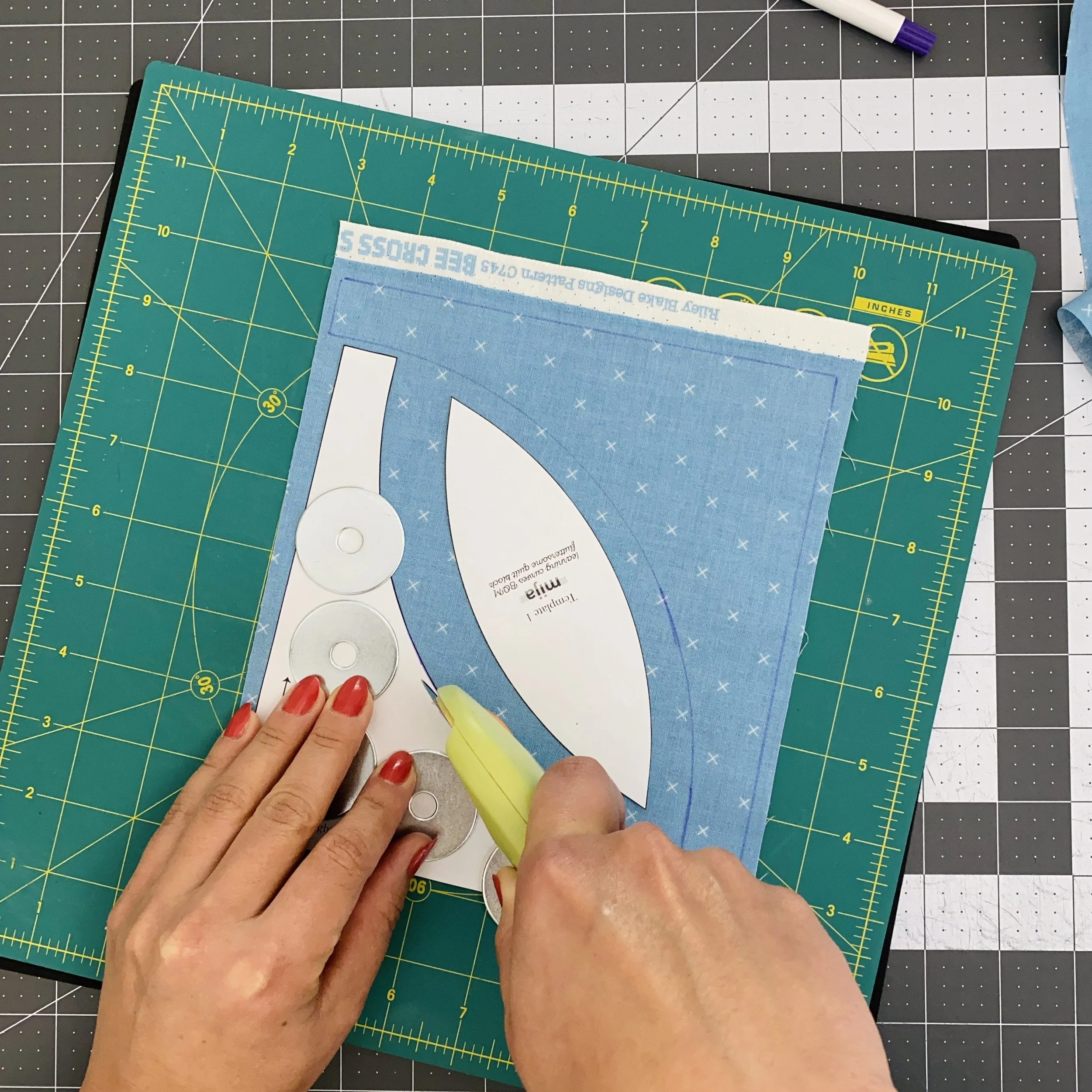
Cutting Templates 1 and 4
As for Templates 1 and 4, I liked switching to my rotary blade. In this photo, you can see I’ve traced one Template 4 on the fabric; that’s only for your visual reference. For the rest of my units, I used the rotary blade to cut freehand around the template.
If you are experienced with sewing orange peel quilts, you’ll recognize the layout of the units here. If you’re new to orange peel quilt patterns, you may be wondering why the Templates are arranged like this - two concave pieces facing each other and the orange peel in the middle. This is to minimize fabric waste. Cutting curves isn’t the most economic use of fabric, so we look for ways to minimize waste.
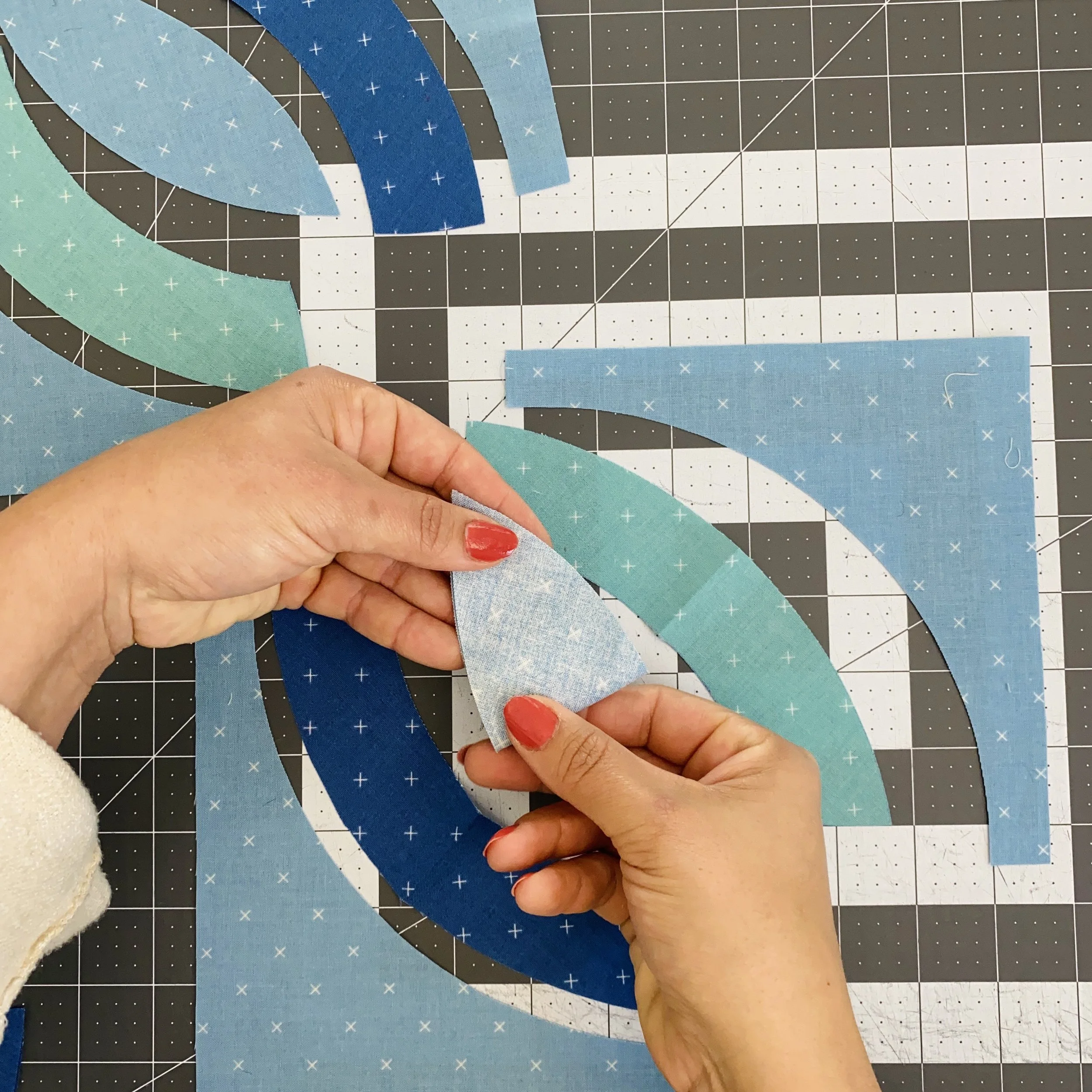
Creasing and Pinning
Congratulations! Now that the cutting is complete, we’ve already done most of the work for this block.
Seriously though, I think cutting the pieces takes more time and effort than piecing does.
The pattern tells you to crease the units in the center. I prefer to fold the Template 1 units in half right sides together, and all remaining template units wrong sides together.
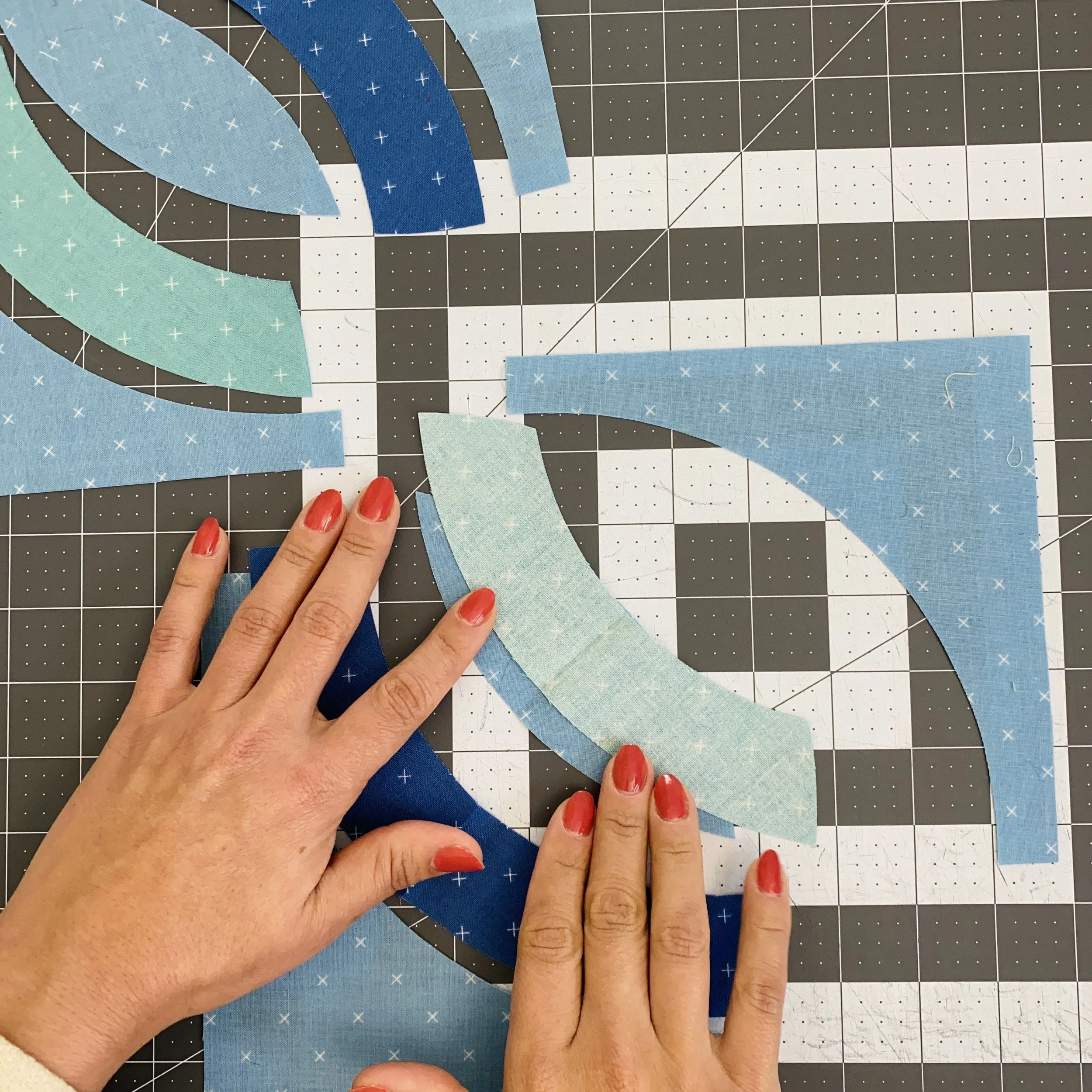
If I consistently crease the units this way, the concave curve will always settle nicely into the fold. I love pinning my curve units, so I will always recommend pinning to your heart’s content.
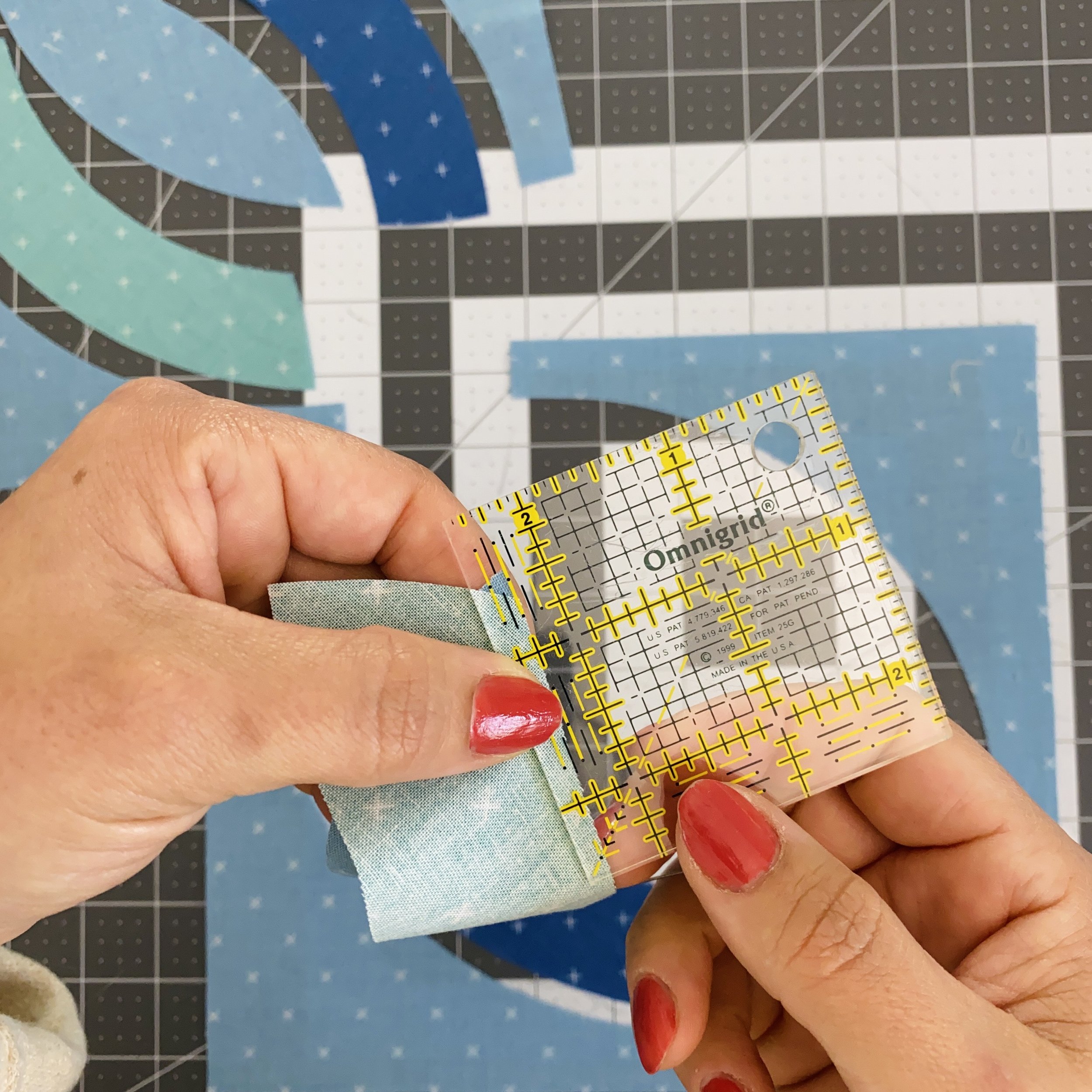
Ensuring Pinning Accuracy
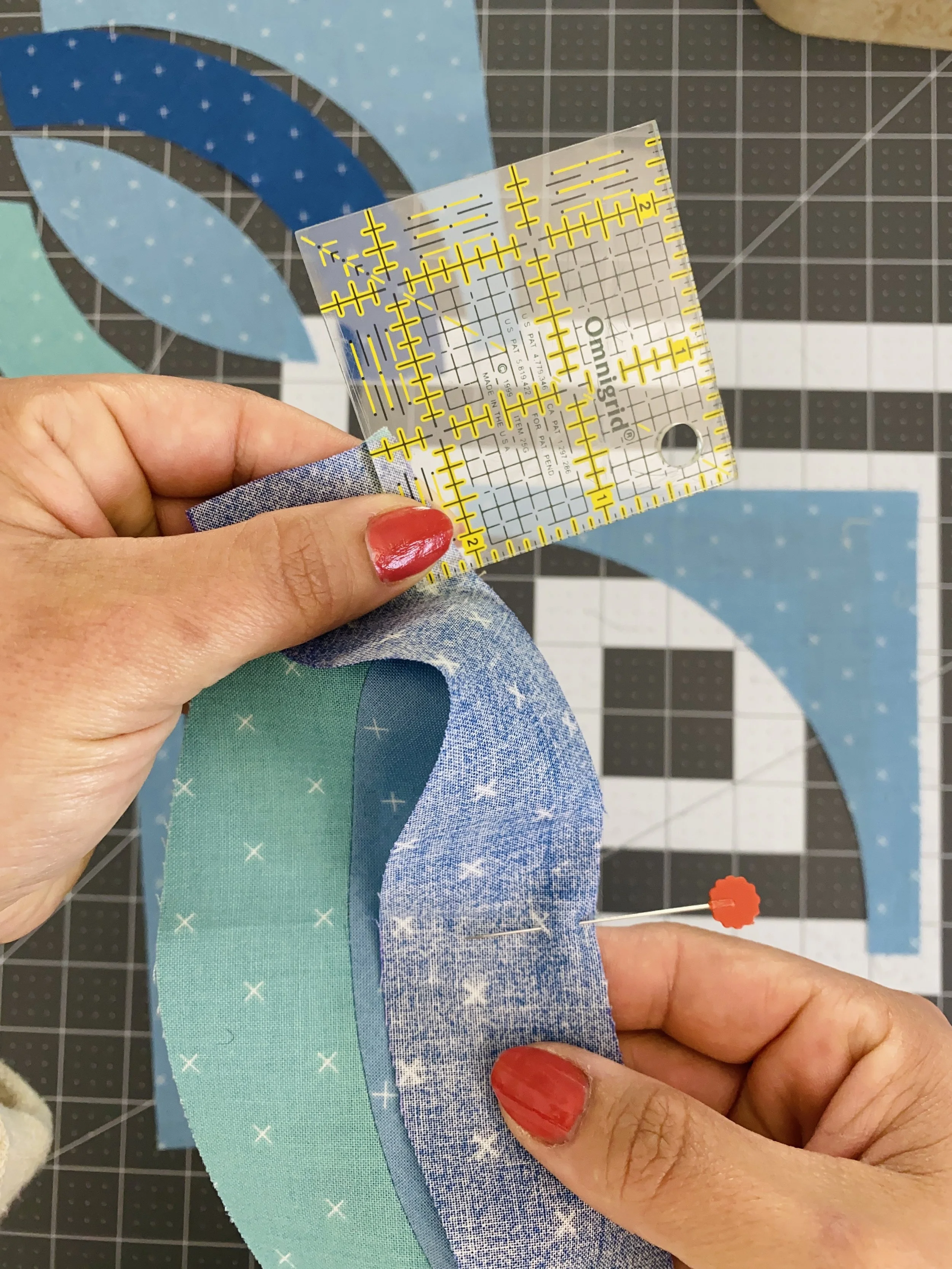
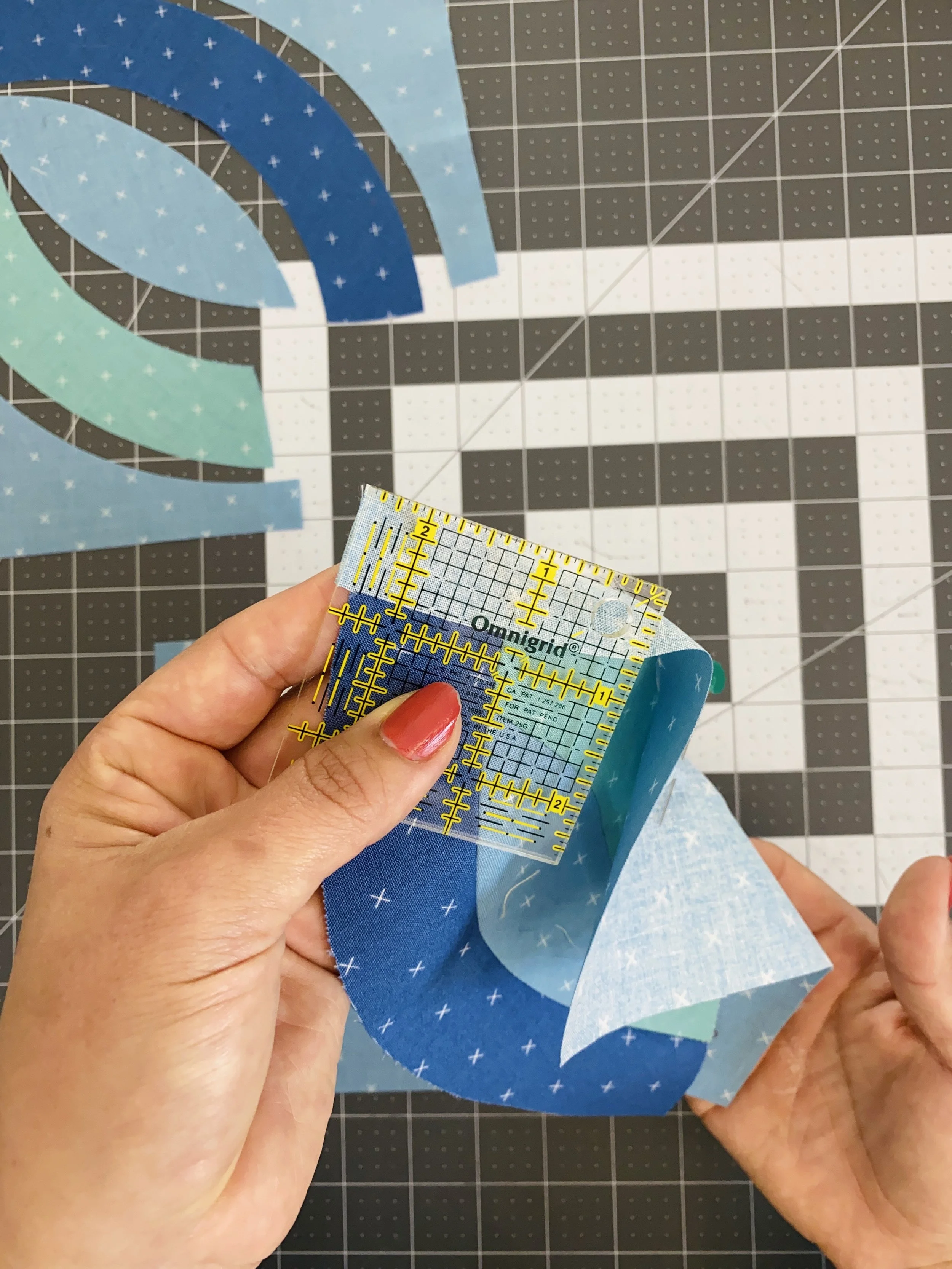
I like to keep a small ruler nearby to help make sure I pin the ends at an accurate ¼". In this picture, you can see that I’ve aligned the ¼" line at the edge of the units. You can also see that I don’t have a perfect ¼" seam allowance because the intersection of the two units doesn’t fall perfectly at the edge of the ruler. In this example, I would shift the bottom unit up (or the top unit down) until the intersection meets at the ruler’s edge.
Once that is aligned, I’ll pin to keep it in place. Then I’ll repeat this alignment at the other end of the units.
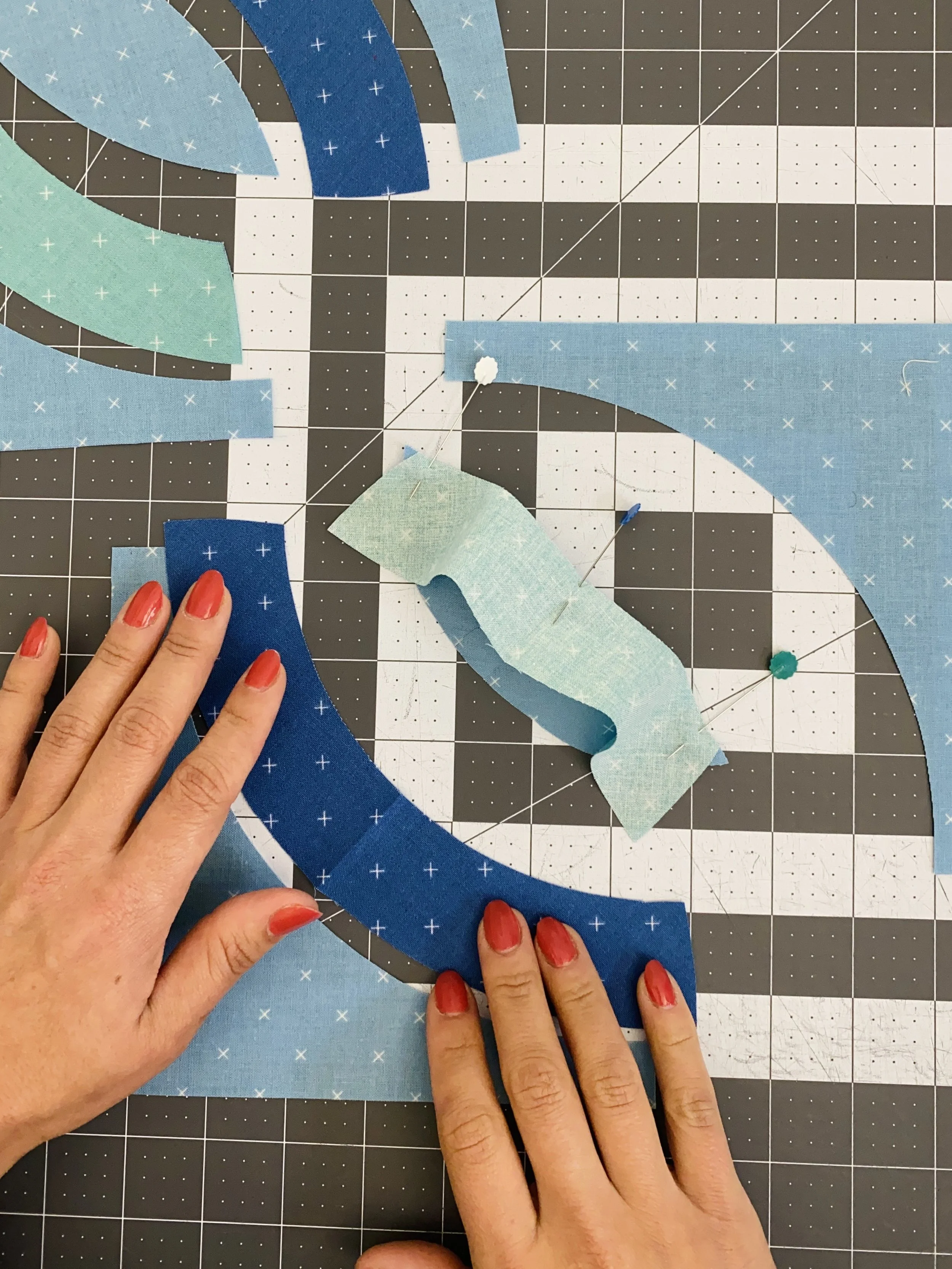
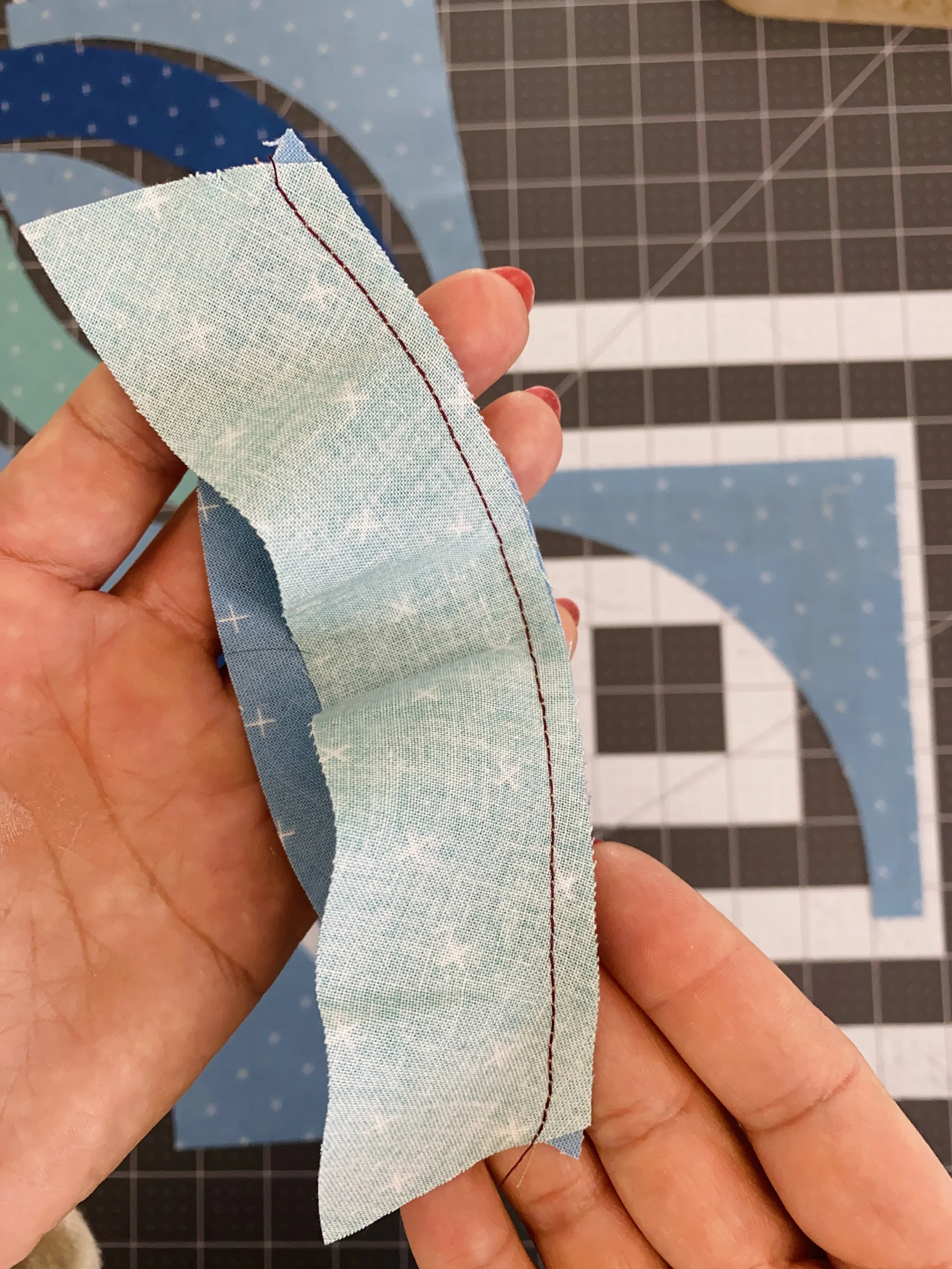
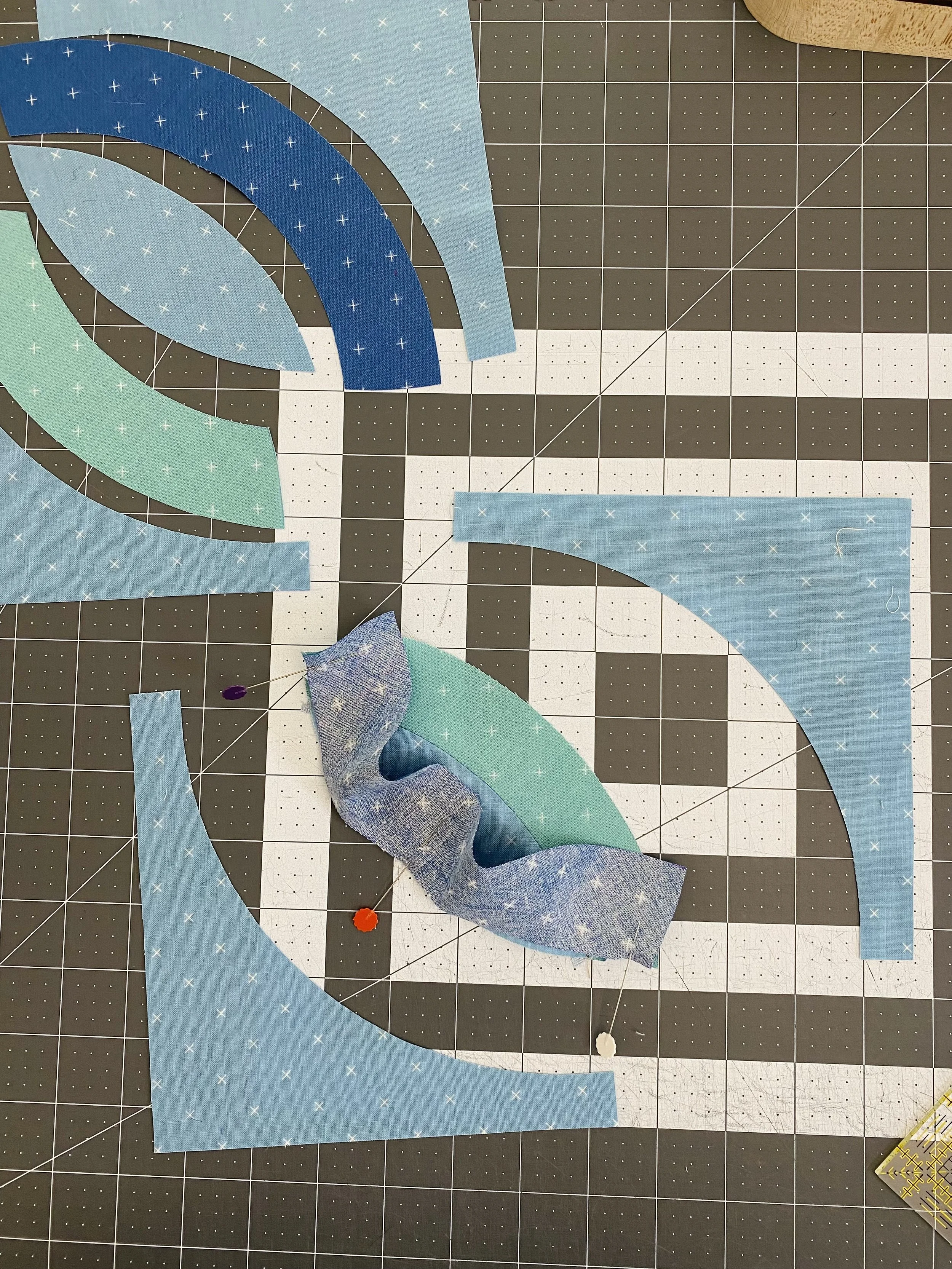
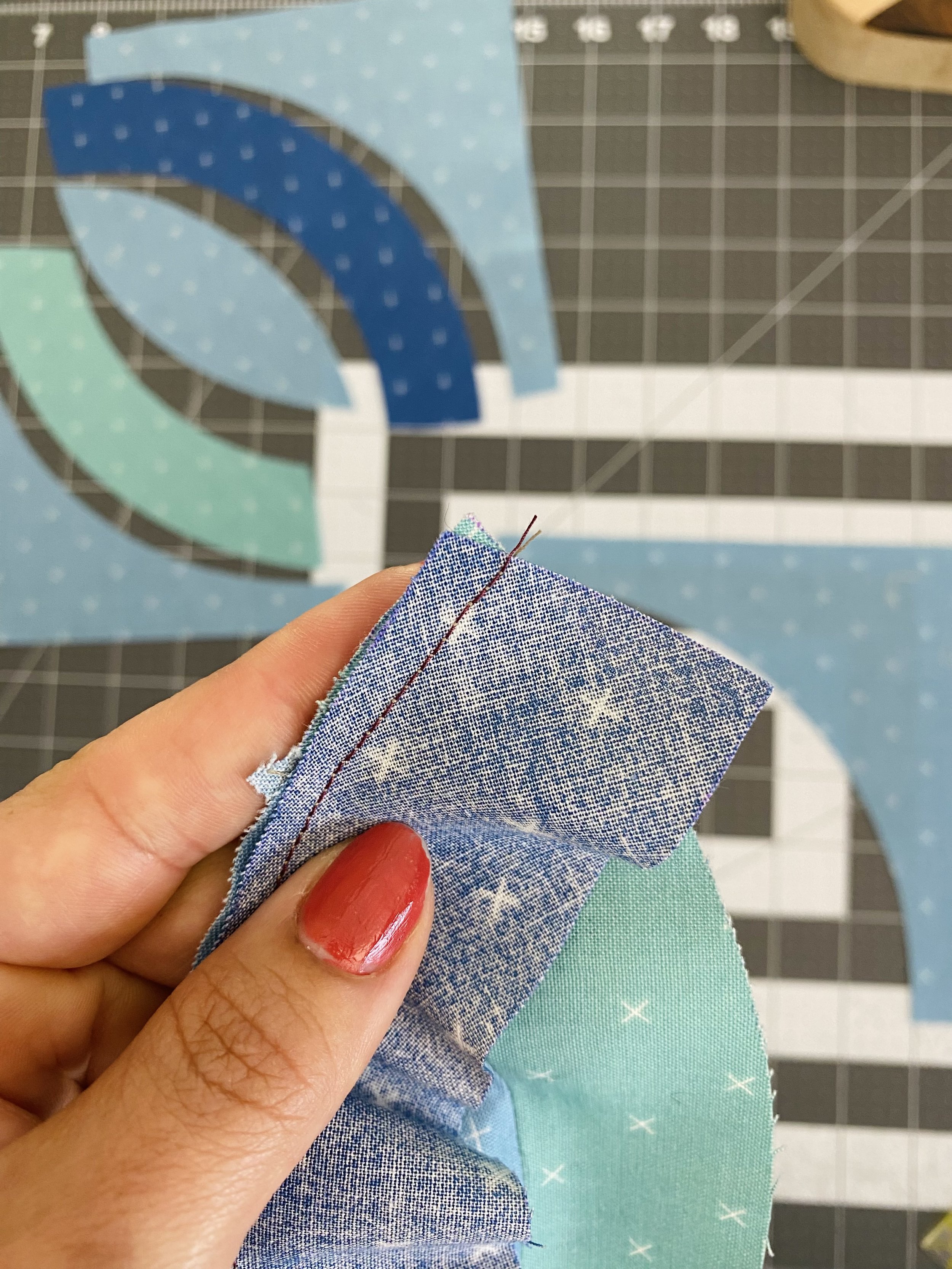
I’m comfortable using three pins on these units, but you could absolutely use more. I can’t recommend using no pins, since, at this point in the pattern, there is no room for trimming and accuracy is pretty important. As a side note, I’ve finally learned my lesson, and remembered to switch to a contrasting thread so you can see the stitching line! You can see here that the stitching line starts and stops perfectly at the intersection.
Once the unit is pressed, the Template 2 unit continues the curve of Template 1 seamlessly. I recommend pressing open, to reduce bulk in the seams. The only drawback of pressing open is that it can introduce some extra fullness into the block if you don’t have a full and accurate ¼" seam allowance.
To pin the Template 3 unit, I like to make sure the curve neatly echoes the pieced seam I just sewed before pinning in place (as opposed to being aligned wonky with the pieced seam).
Template 3
To add the Template 3 unit, I repeat the previous steps. First, make sure the Template 3 fabric does not match the Template 2 fabric. Or make sure it does! I’ve already encouraged you to go a little wild with the fabrics in this block pattern. Use a small ruler to ensure an accurate ¼" seam allowance. Double check that the stitching line hits exactly at the intersection of the two units. Press the seam open and now we’ve got a perfect orange peel unit.
Template 4
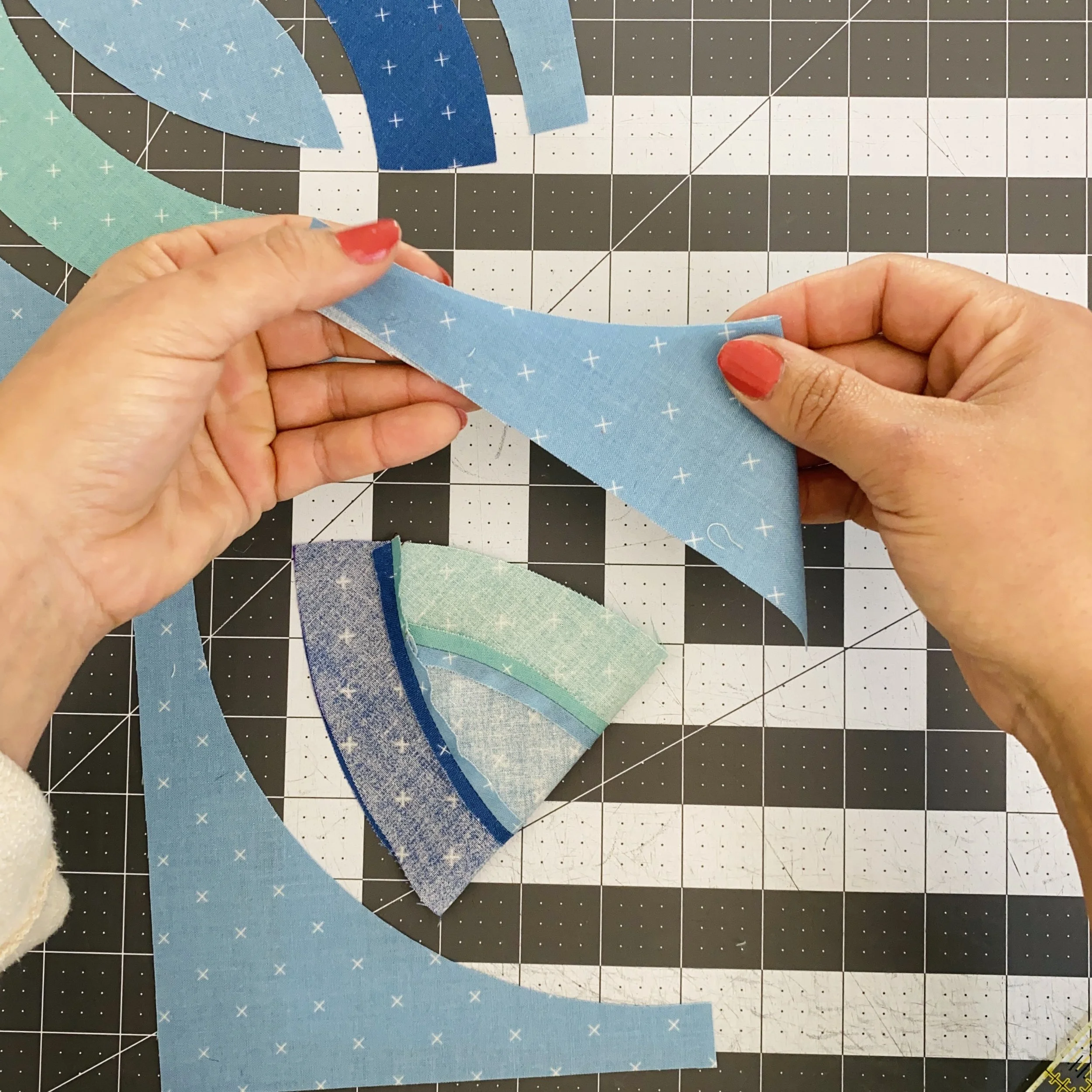
We’ll crease all the remaining units at center again. I still crease the orange peel with right sides together and the Template 4 units wrong sides together.
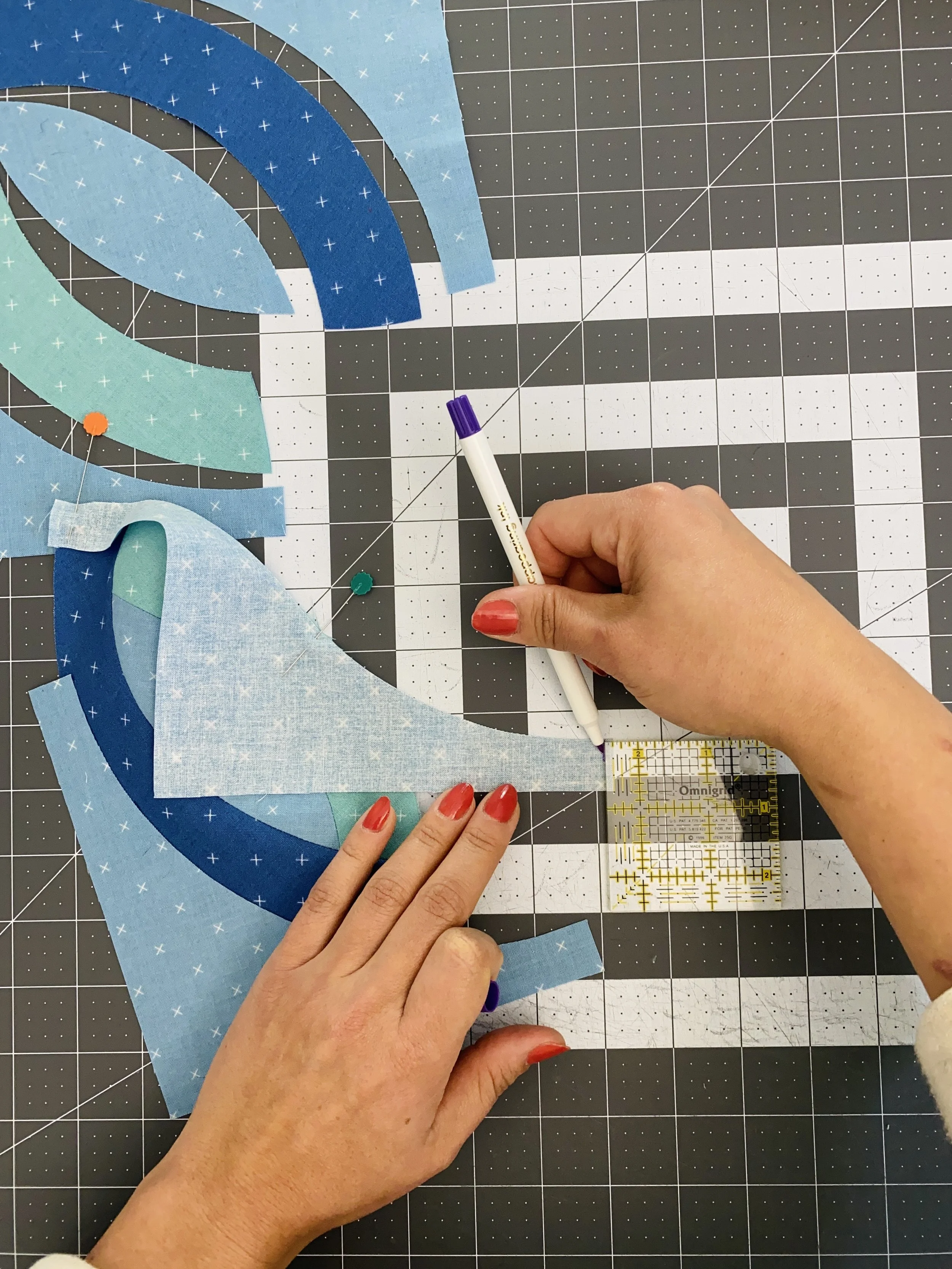
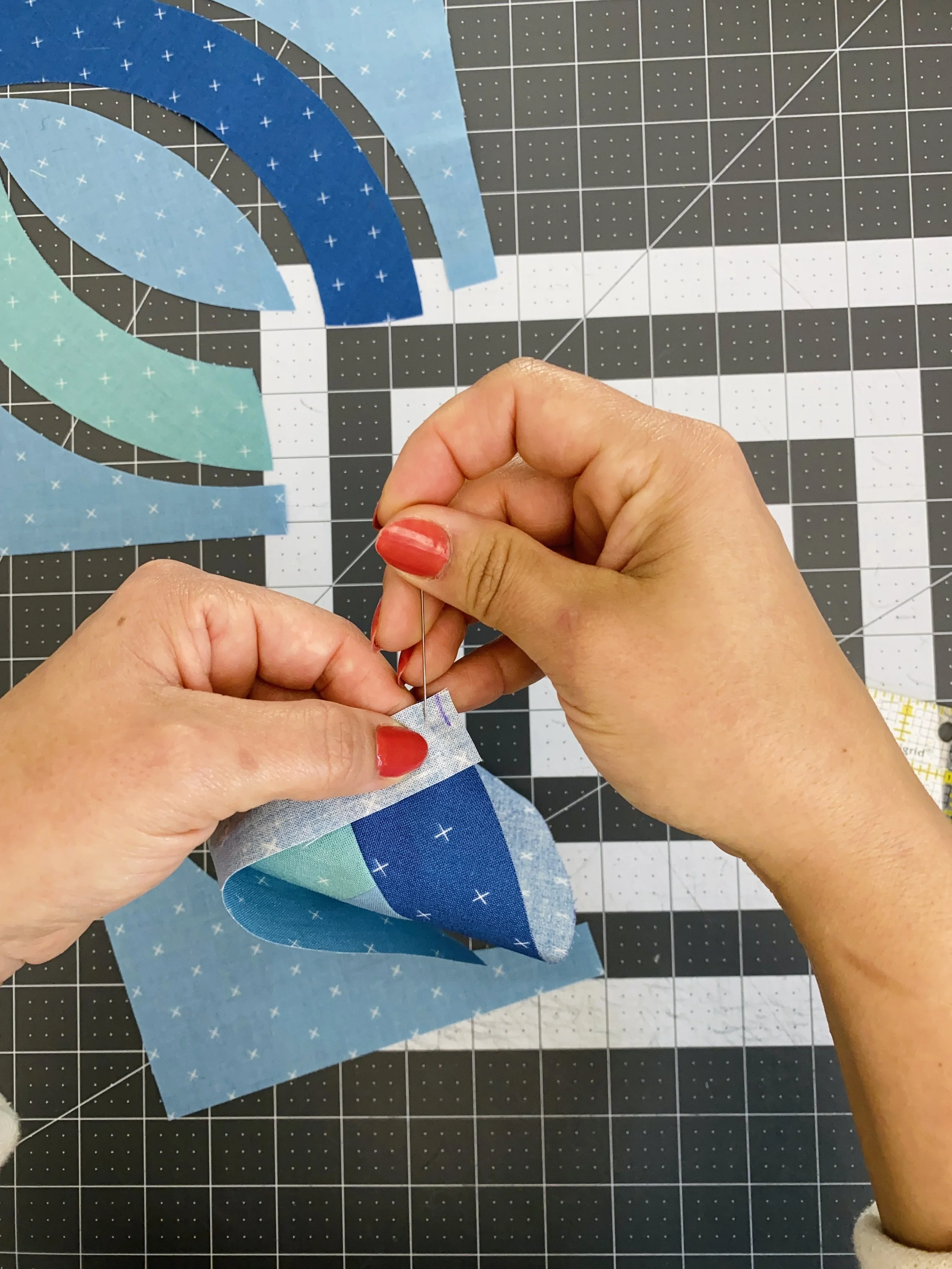
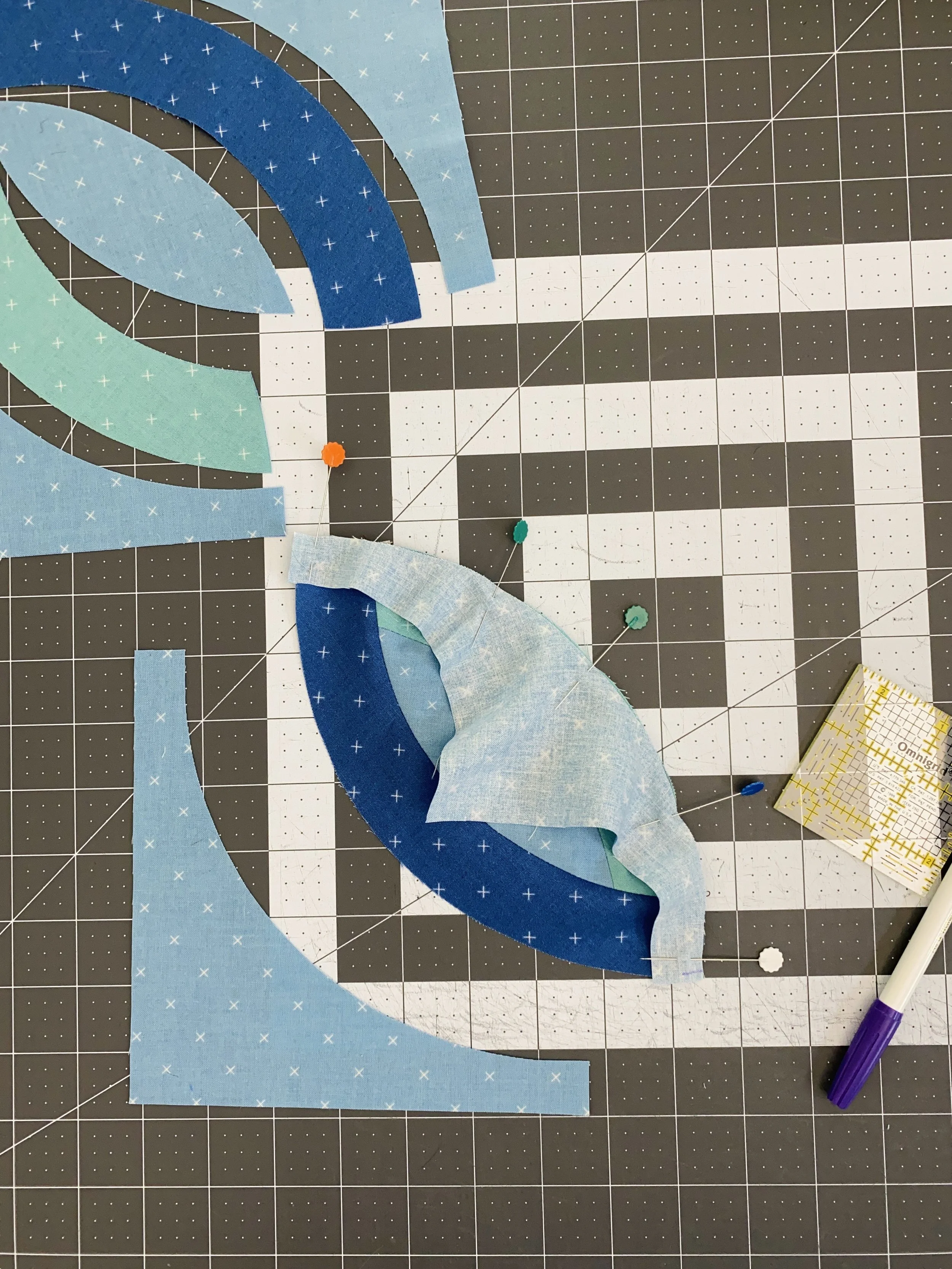
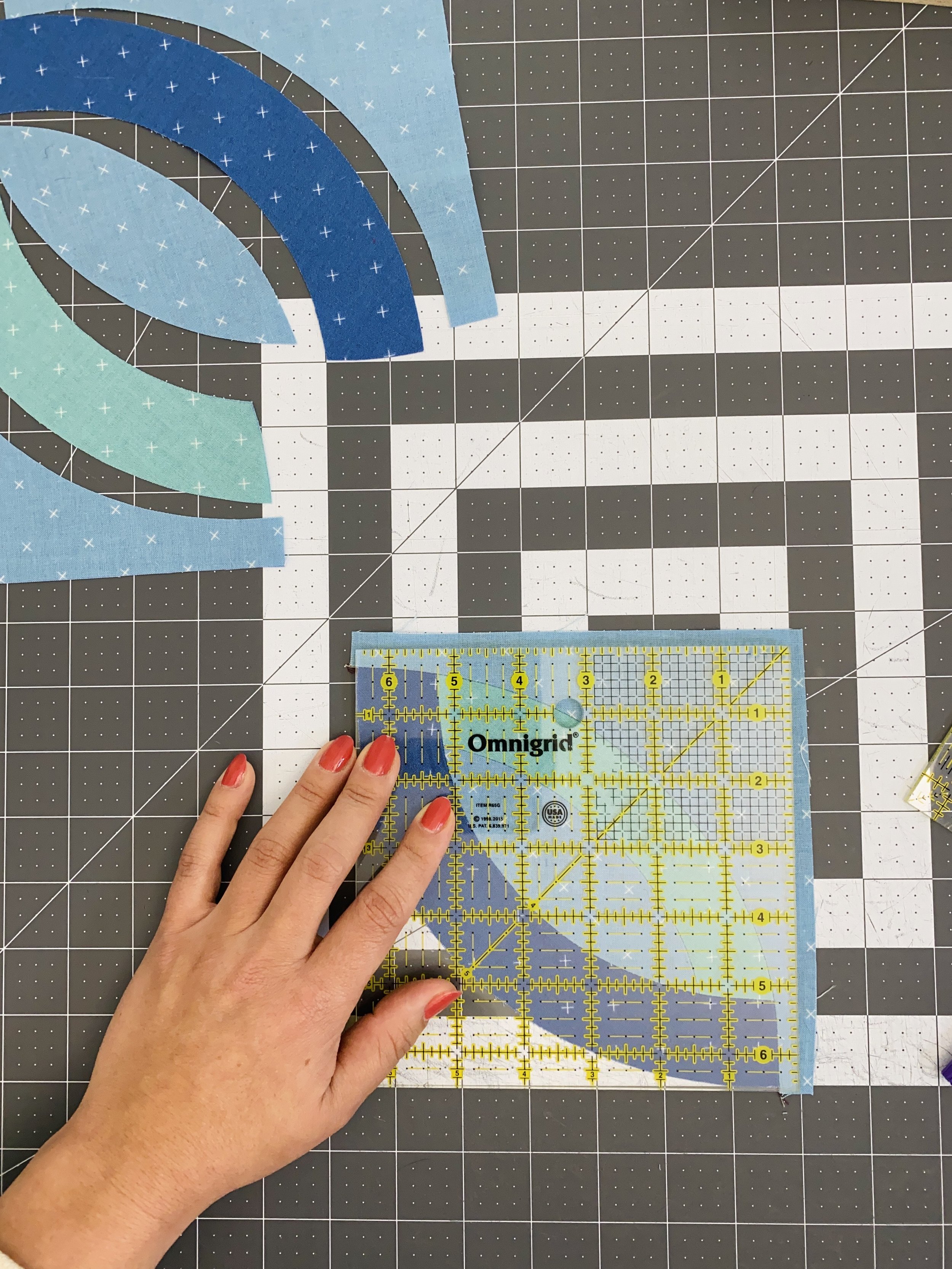
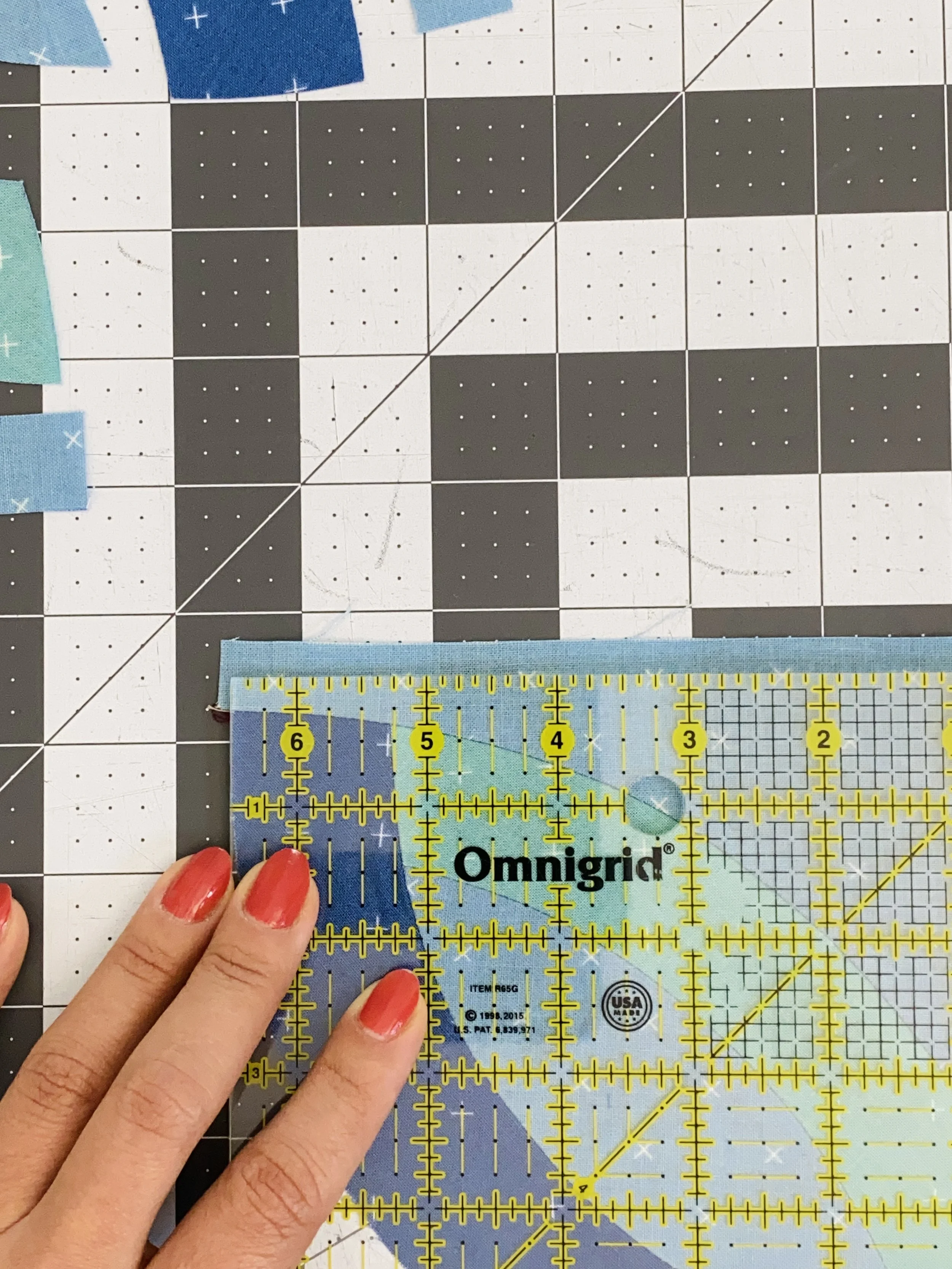
Template 4 is designed to extend ⅛" beyond the orange peel unit. There are a few ways to align these units. You can eyeball it, which I expect many quilters would do. You can use a version of the ruler trick described above by aligning the orange peel at the ⅛" measurement and the Template 4 edge with the edge of the ruler. You can also mark a ⅛" on the Template 4 and align the mark with the orange peel. Anyway you pin it, this is a very gentle curve and a breeze to stitch.
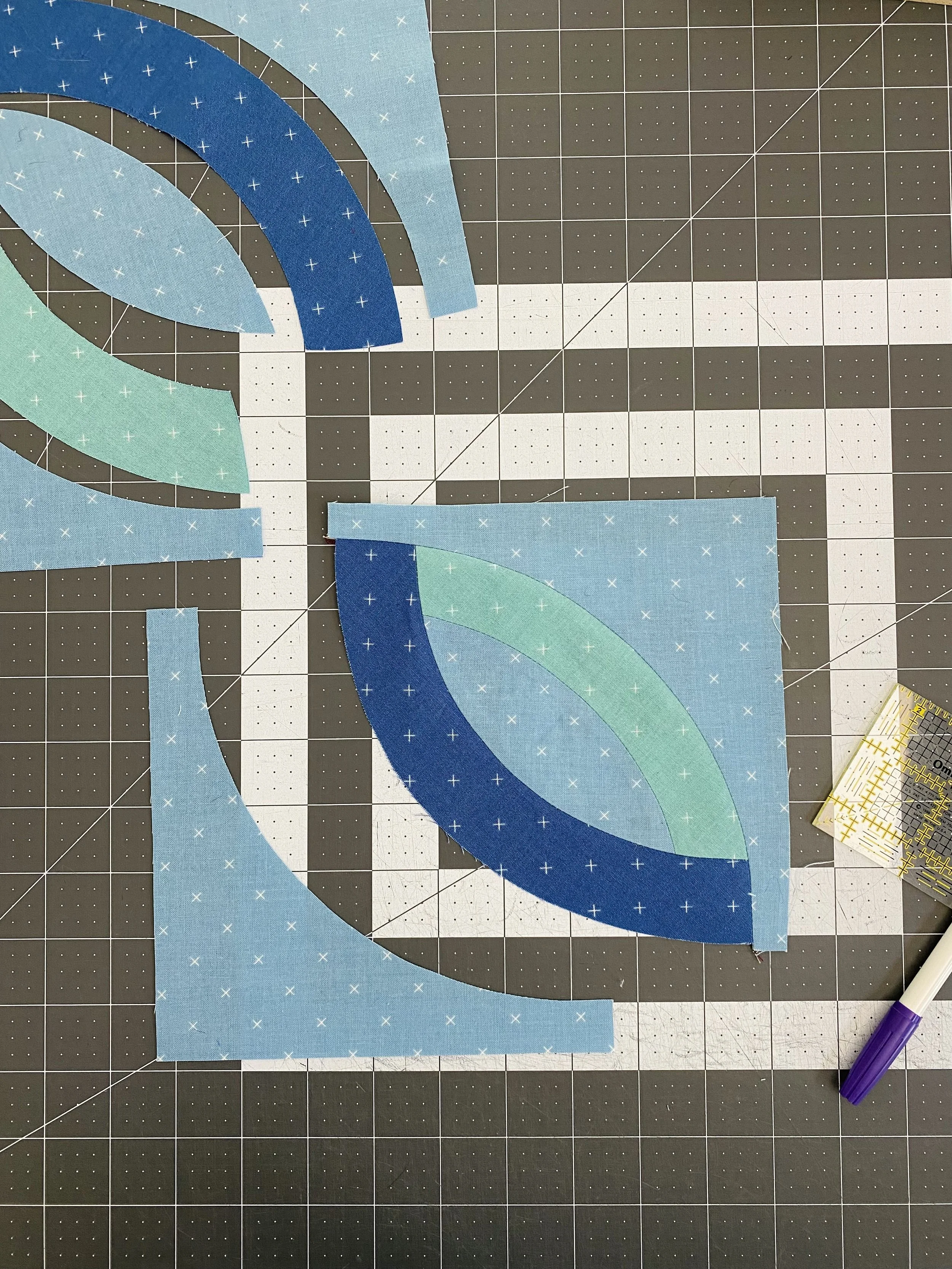
Trimming Template 4
To trim the unit, only trim from the Template 4 unit. Make sure the ¼" mark is aligned on the curved seam so you don’t lose the points of the orange peel.
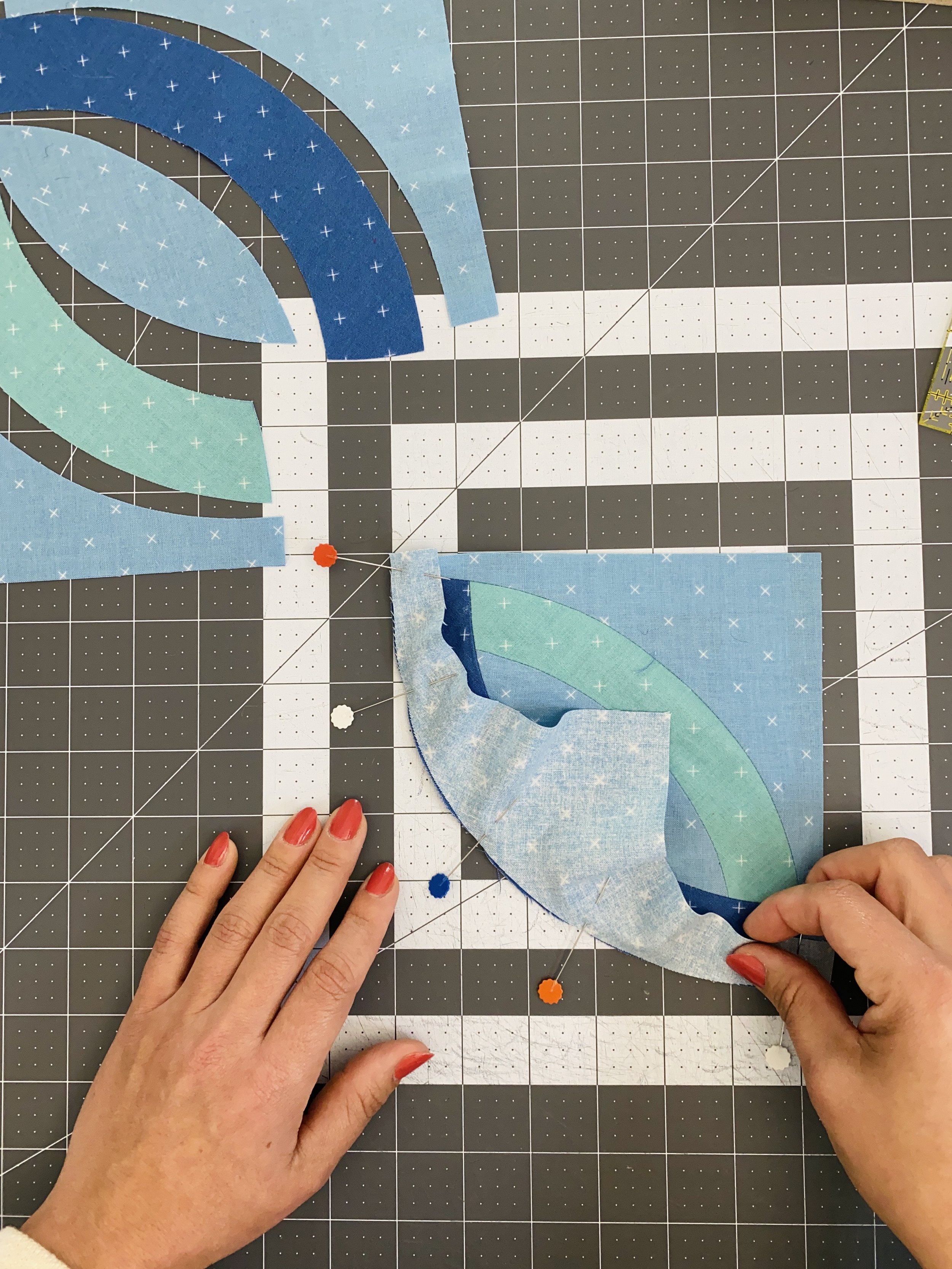
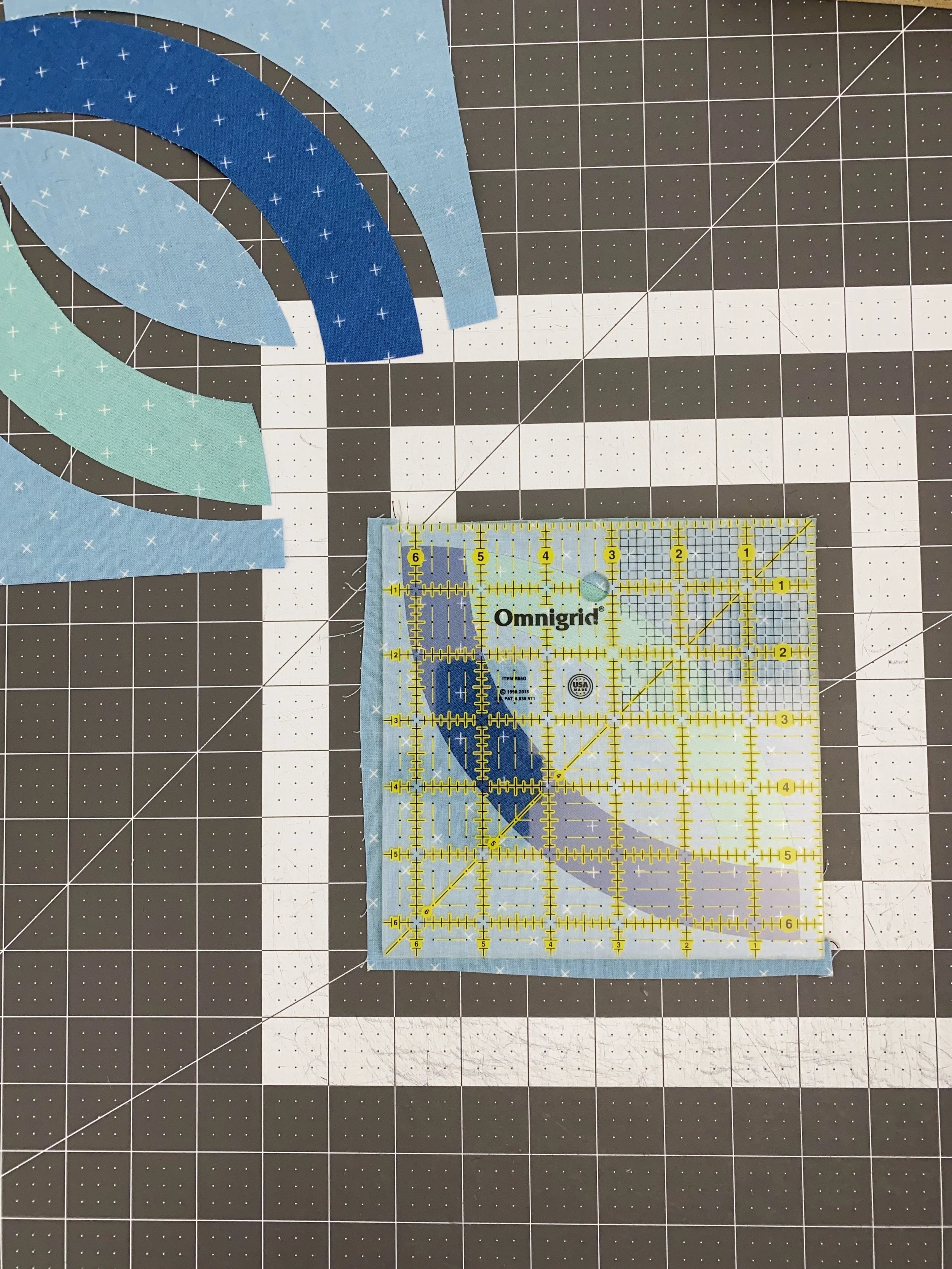
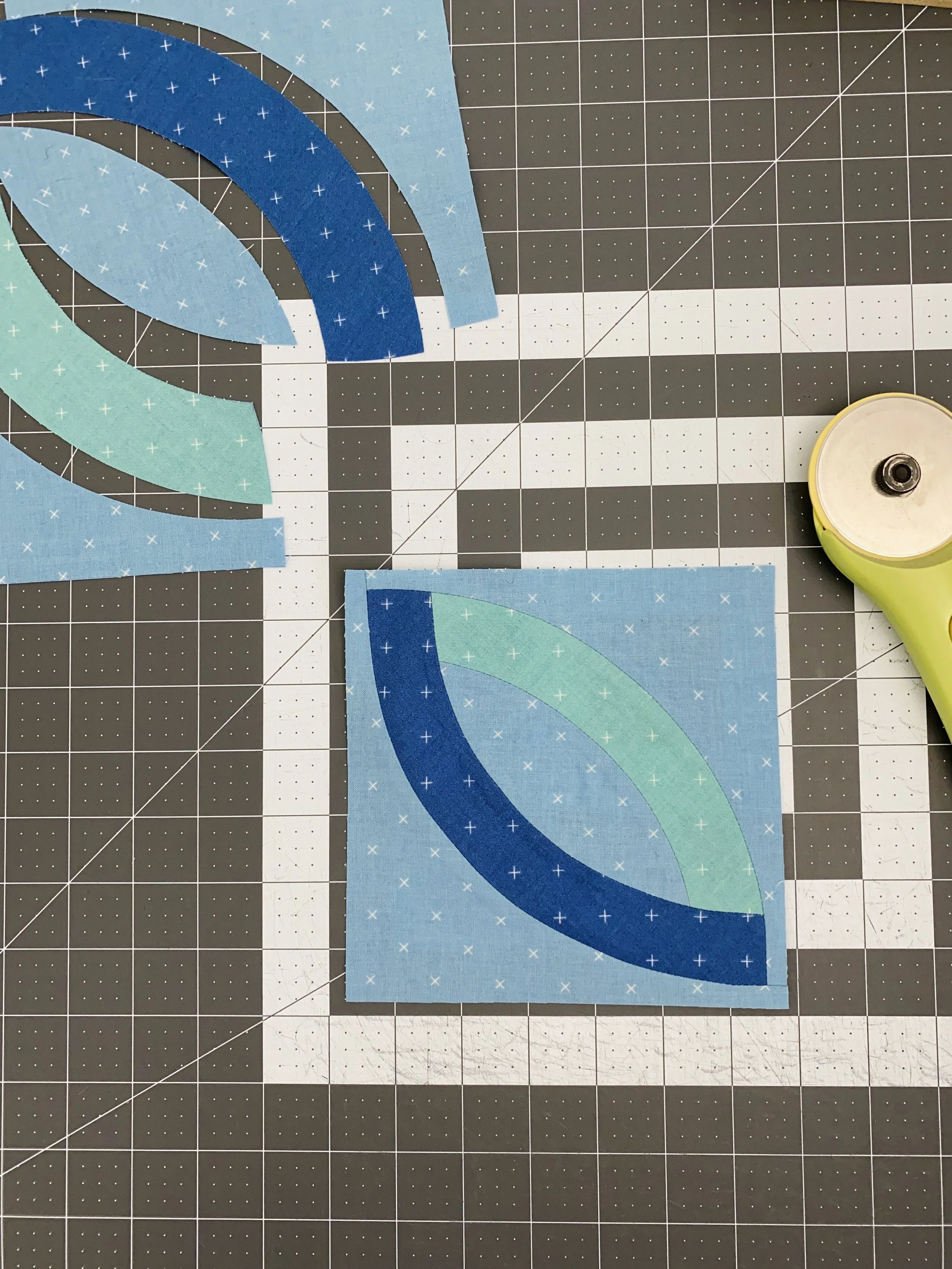
The second Template 4 gets sewn on exactly the same way as the first, and gets trimmed the same way as well. I suggest doing one entire block before trying to chain piece everything. Now you' have a 6½" x 6½" block.
The pattern directs you to press open at each step. Remember, if your seam allowance is on the scant side, you may have a bit of fullness in the block. I solved this my liberally spraying my block with water and pressing with a hot iron.
Once all four sub-blocks are made, sewing the whole block together is easy. I’ll just point out that the intersecting seam can be quite bulky, especially if you’re using thicker quilting cottons. I just sewed right through mine and left a heavy book on the center seam over night to help reduce that bulk.
I’ll keep an eye out over on Instagram for more pictures of your blocks! We’re using #learningcurvesBOM and #fluttersomequiltblock this month.
Happy quilting!